w12 <<
Previous Next >> w13
建立ssh
1.先安裝putty所對應模組
2.進入y:\portablegit\bin\sh.exe,進入 shell命令環境後,執行這項指令,建立自己的key

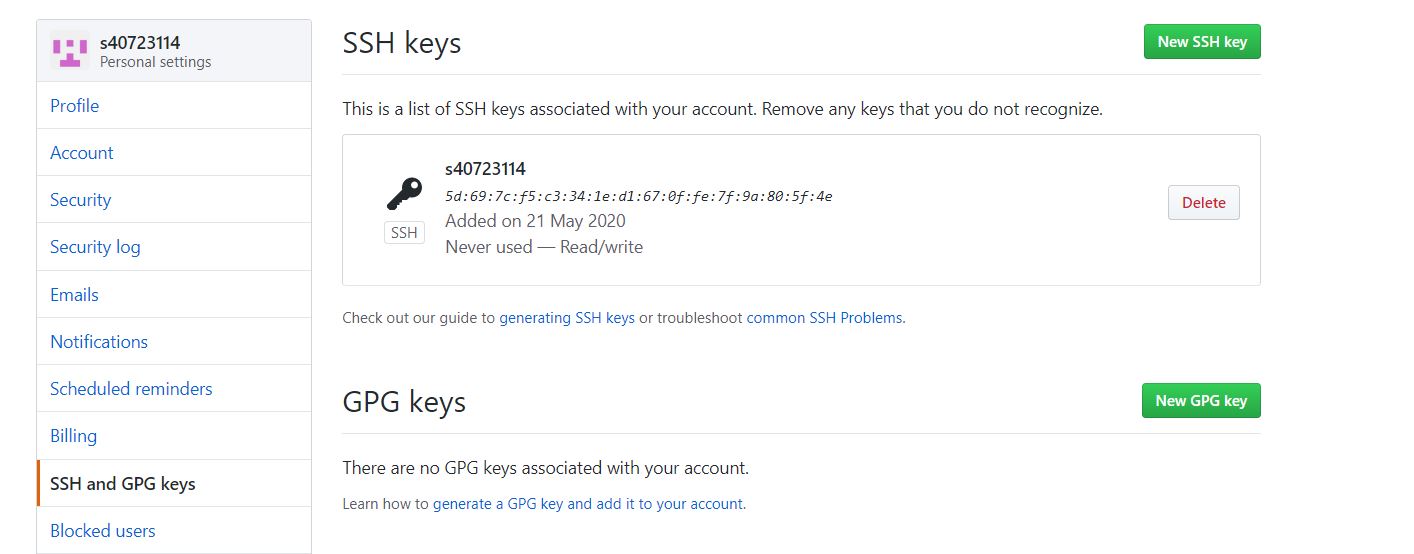
3.到 y:\home\.ssh 目錄下找到自己建立的 id_rsa 與 id_rsa.pub,將 id_rsa.pub複製起來,去github裡面進行設定,建立ssh的key
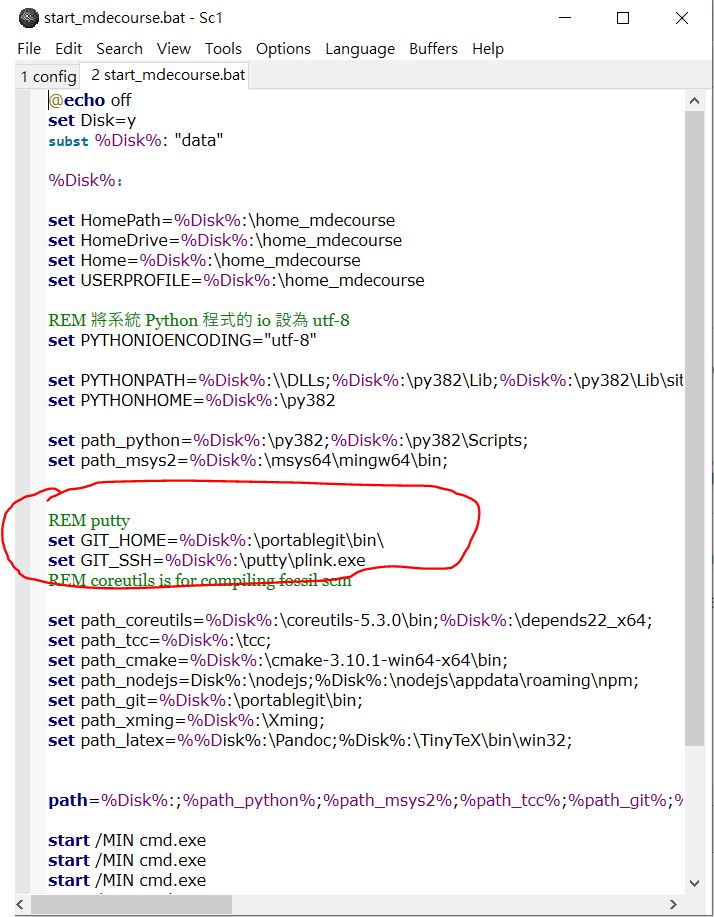
4.更改啟動檔的路徑
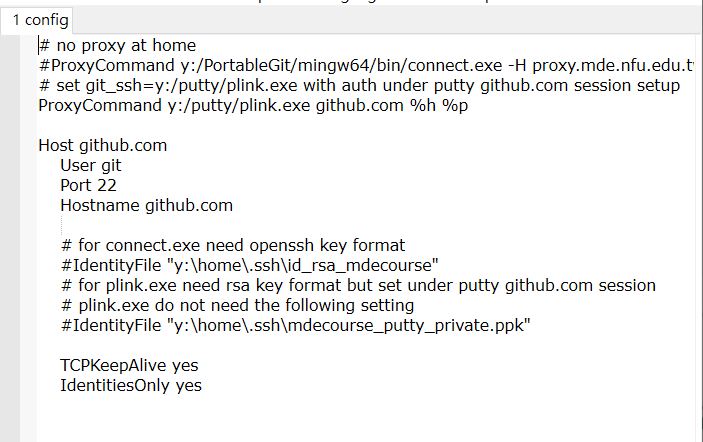
5.去.ssh裡,建立一個新的config
6.在自己倉儲內的對應git目錄中的config,更改連線協定, 由 https 改為採 ssh 連線

遇到問題
plink -batch: plink: command not found
fatal: Could not read from remote repository.
Please make sure you have the correct access rights
and the repository exists.
解決辦法
嘗試重新安裝可攜系統,看能不能解決此問題
w12 <<
Previous Next >> w13