40723114 CD2020

  • Home
    • Site Map
    • reveal
    • blog
  • About
    • 組員名單
    • 小組貢獻度
    • 出缺席狀況
  • Assignment 1
    • python 亂數分組
    • 更新Python 3.8.2
    • 報告
  • Assignment 2
    • TOP 0 文章
      • 心得
    • webots tutorial
      • webots 入門
  • Assignment 3
    • Oauth 設定
      • google授權錯誤解決辦法
      • 在Flask框架下,加入ttt檔
    • 從Linux系統啟動Cline端,由windows系統下進入(IPV4)
    • IPV6環境下,啟動自己對應的Host IP
  • 直播每週影片與進度
    • w2
    • w3
    • w5
    • w6
      • 課程內容
    • w7
      • 嘗試在coppeliasim驅動馬達
      • 說明線上課程及流程
    • w8
      • 安裝所需模組
    • w9
      • 分配內容
    • w10
      • leo發生閃退問題
    • w11
    • w12
      • 建立ssh
    • w13
    • w14
    • w15
    • w17(期末報告影片)
  • Linux指令
w12 << Previous Next >> w13

建立ssh

1.先安裝putty所對應模組

2.進入y:\portablegit\bin\sh.exe,進入 shell命令環境後,執行這項指令,建立自己的key

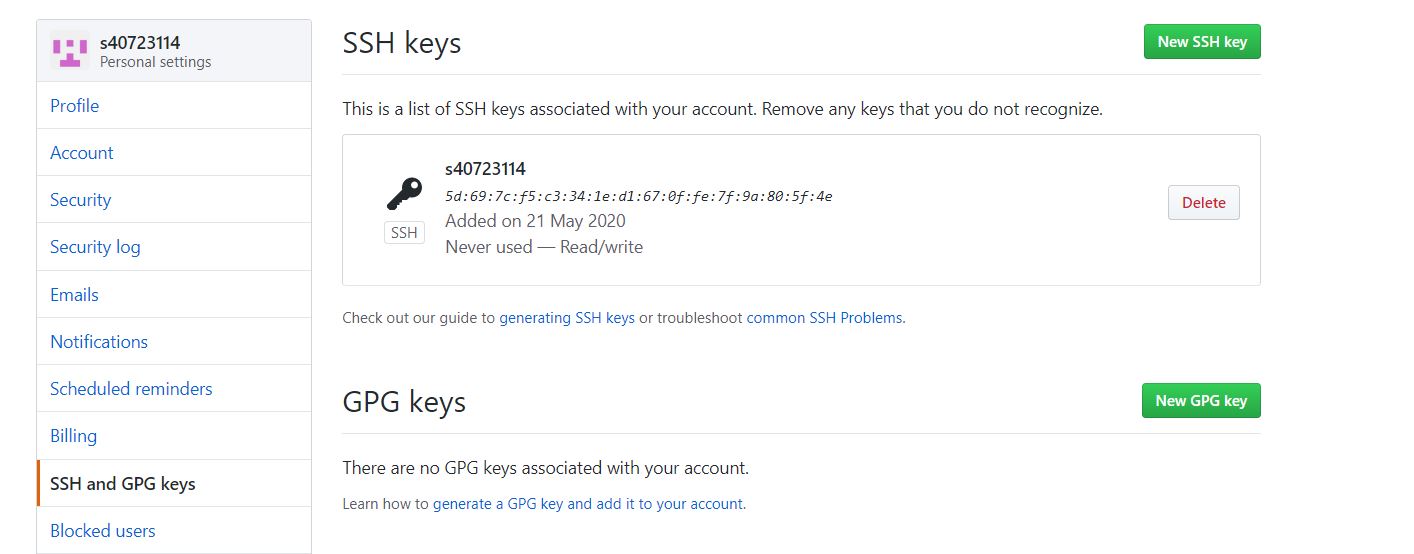
3.到 y:\home\.ssh 目錄下找到自己建立的 id_rsa 與 id_rsa.pub,將 id_rsa.pub複製起來,去github裡面進行設定,建立ssh的key
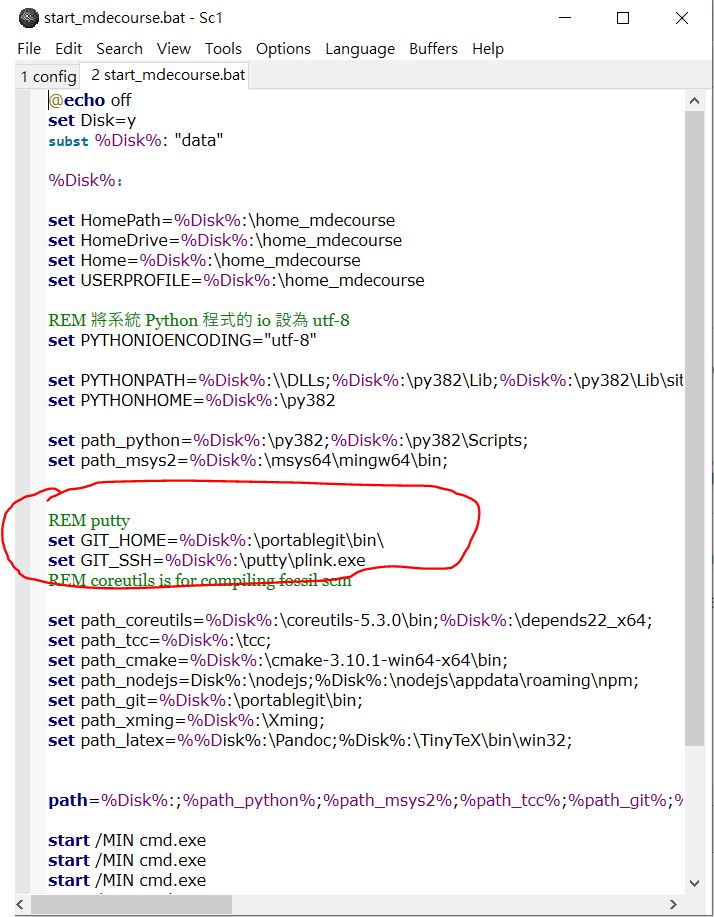
4.更改啟動檔的路徑
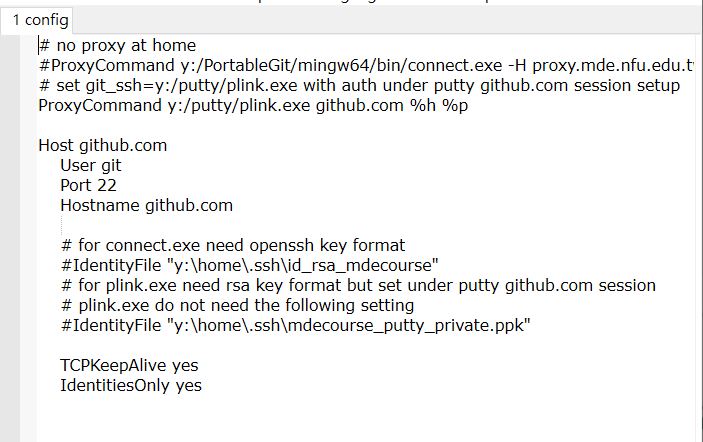
5.去.ssh裡,建立一個新的config
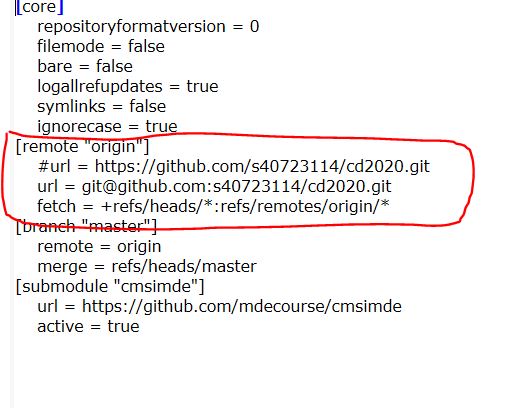
6.在自己倉儲內的對應git目錄中的config,更改連線協定, 由 https 改為採 ssh 連線
 

遇到問題

plink -batch: plink: command not found
fatal: Could not read from remote repository.

Please make sure you have the correct access rights
and the repository exists.

解決辦法

嘗試重新安裝可攜系統,看能不能解決此問題


w12 << Previous Next >> w13

Copyright © All rights reserved | This template is made with by Colorlib